
Quick Task Module
- The Quick Task Module is used to create, assign, track, and manage tasks related to Sales Orders and other activities.
- Tasks can be created directly from a Sales Order or from the Quick Task Module itself and are visible to the assigned staff.
Accessing Quick Task Module
- Go to MYHOME
- Click on Quick Task
- The Quick Task list screen opens.
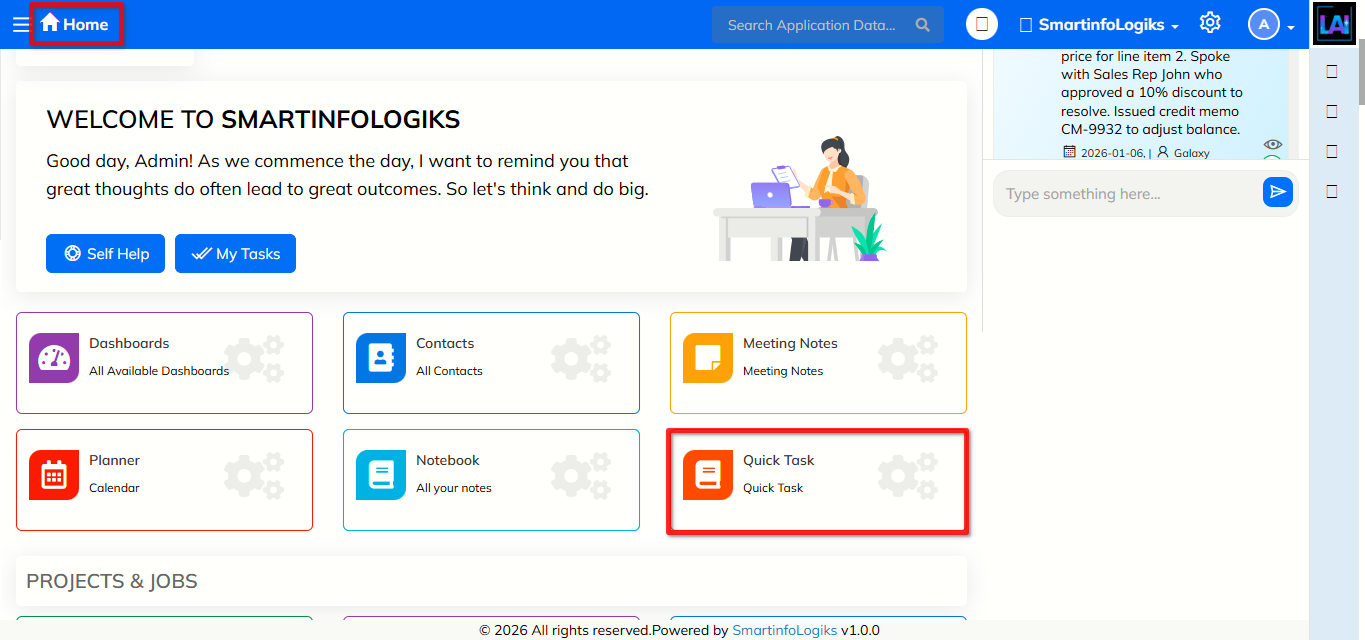
Adding Quick Task from Sales Order
View Sales Order Info
- Open Sales Order
- Navigate to the Info/Quick Task section inside the Sales Order
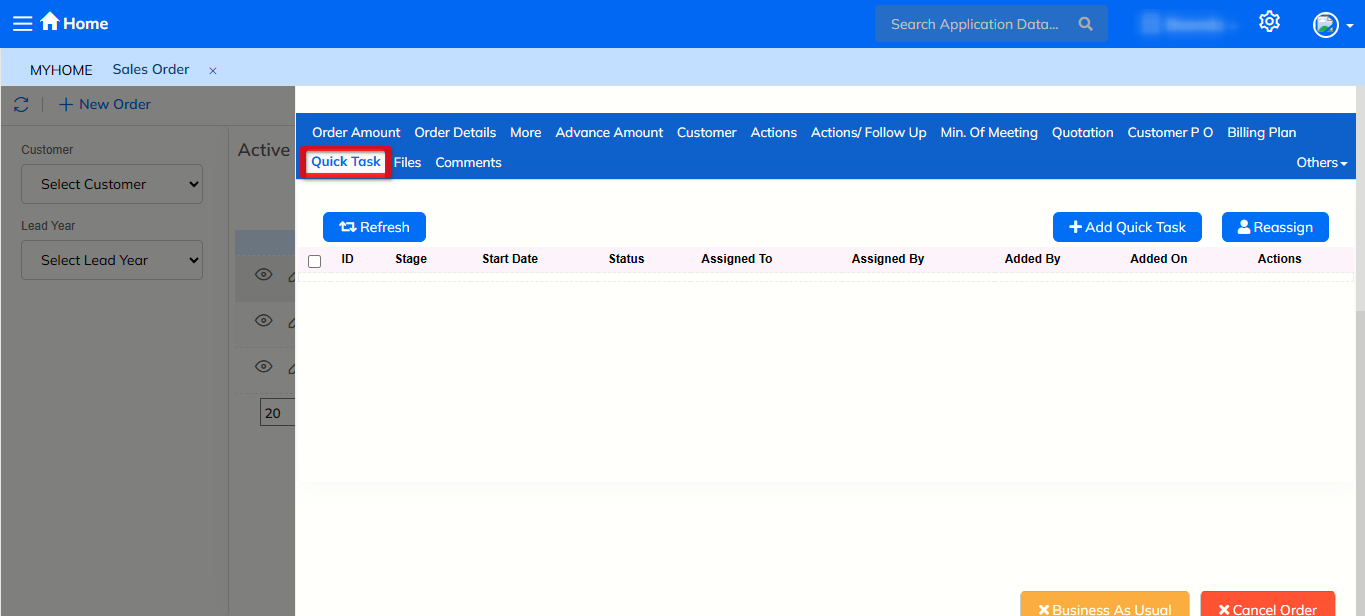
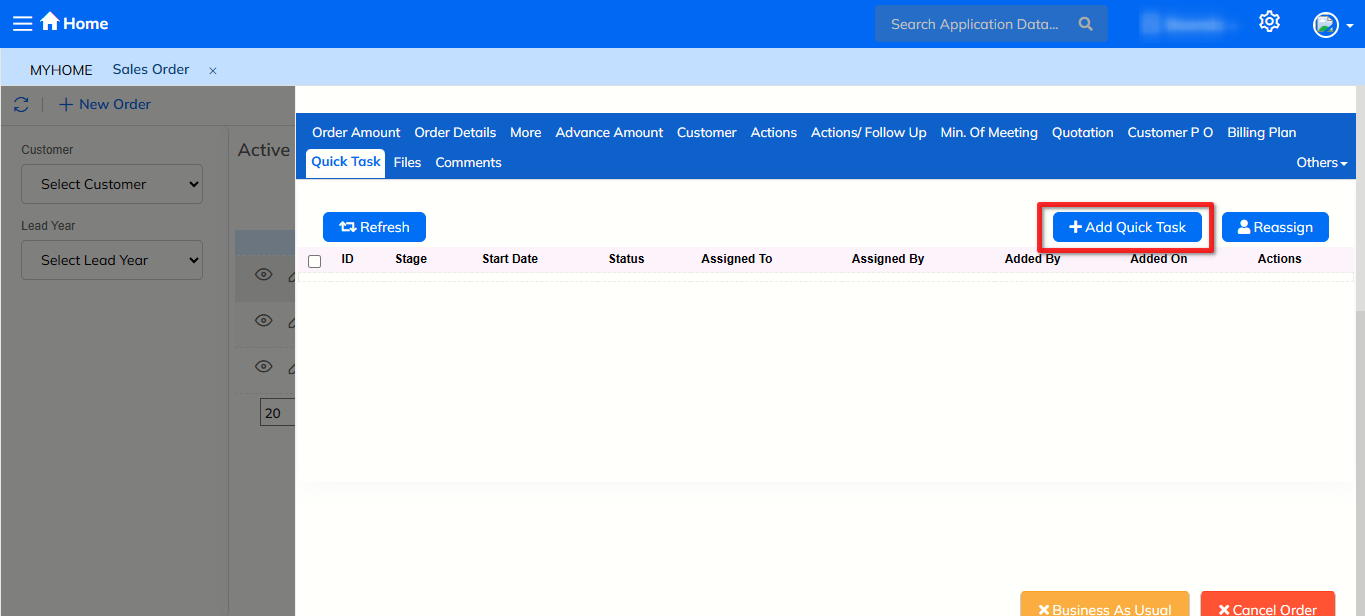
Add Quick Task
- Click on Add Quick Task
- The +Add Quick Task form opens
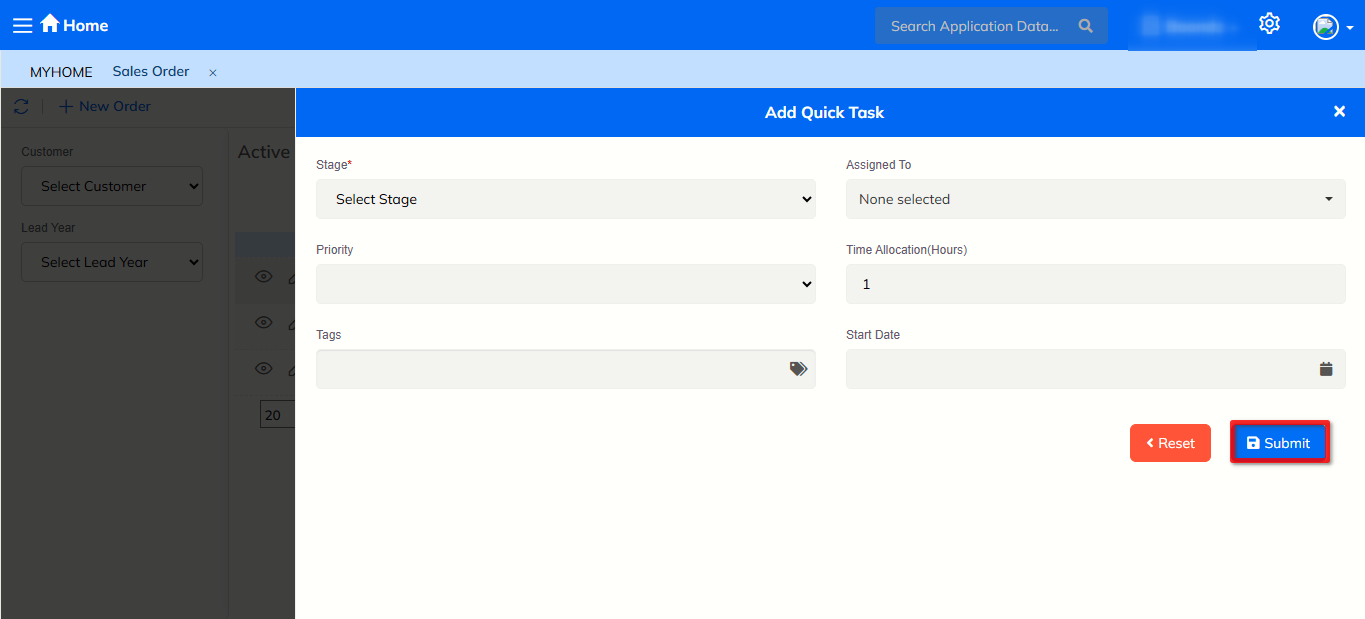
Fill Quick Task Details
- Stage* – Select the task stage
- Assigned To* – Select the staff member
- Priority – Select task priority
- Time Allocation (Hours) – Enter estimated time
- Tags – Add tags if required
- Start Date – Select start date
Submit Task
- Click Submit
- The task is created and linked to the sales order.
Task Visibility for Assigned Staff
- The created task is automatically visible to the assigned staff
- Assigned users can view the task in their Quick Task Module
- Tasks are shown based on assignment and status
Adding Quick Task from Quick Task Module
- Open Quick Task Module
- Go to MYHOME → Quick Task
Add New Quick Task
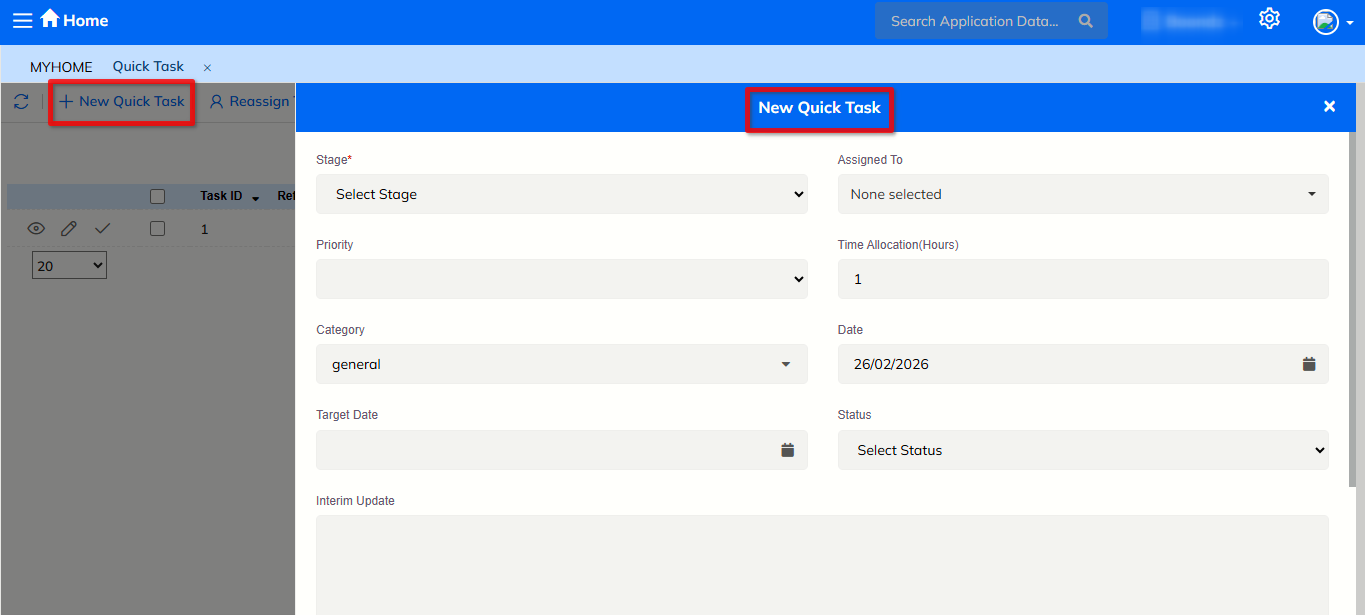
- Click on New Quick Task
- The Add Quick Task form opens
Enter Task Details
- Select Stage*
- Select Assigned To*
- Set Priority
- Enter Time Allocation
- Add Tags
- Select Start Date
Save Task
- Click Submit
- The task is created and assigned successfully.
Viewing Quick Tasks
Task List View
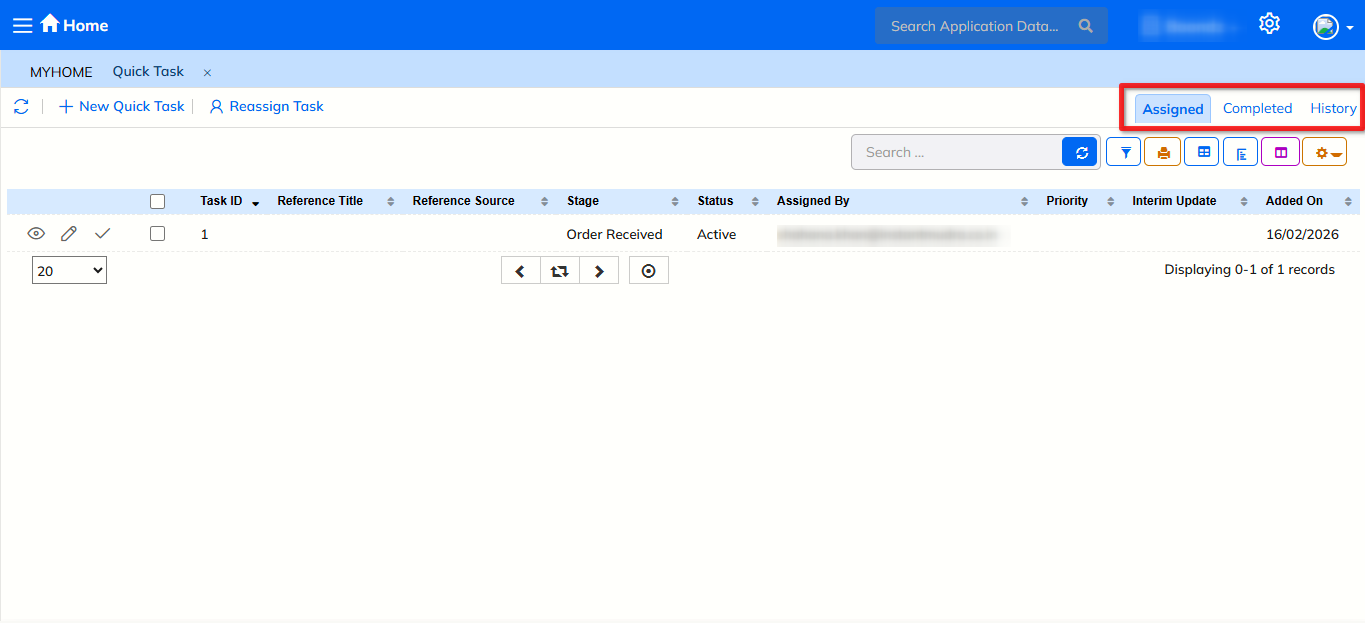
- The Quick Task list displays:
- Task ID
- Reference Title
- Reference Source
- Stage
- Status
- Assigned By
- Priority
- Added On
Task Status Tabs
- Assigned – Active assigned tasks
- Completed – Finished tasks
- History – Past task records
Editing & Reassigning Tasks
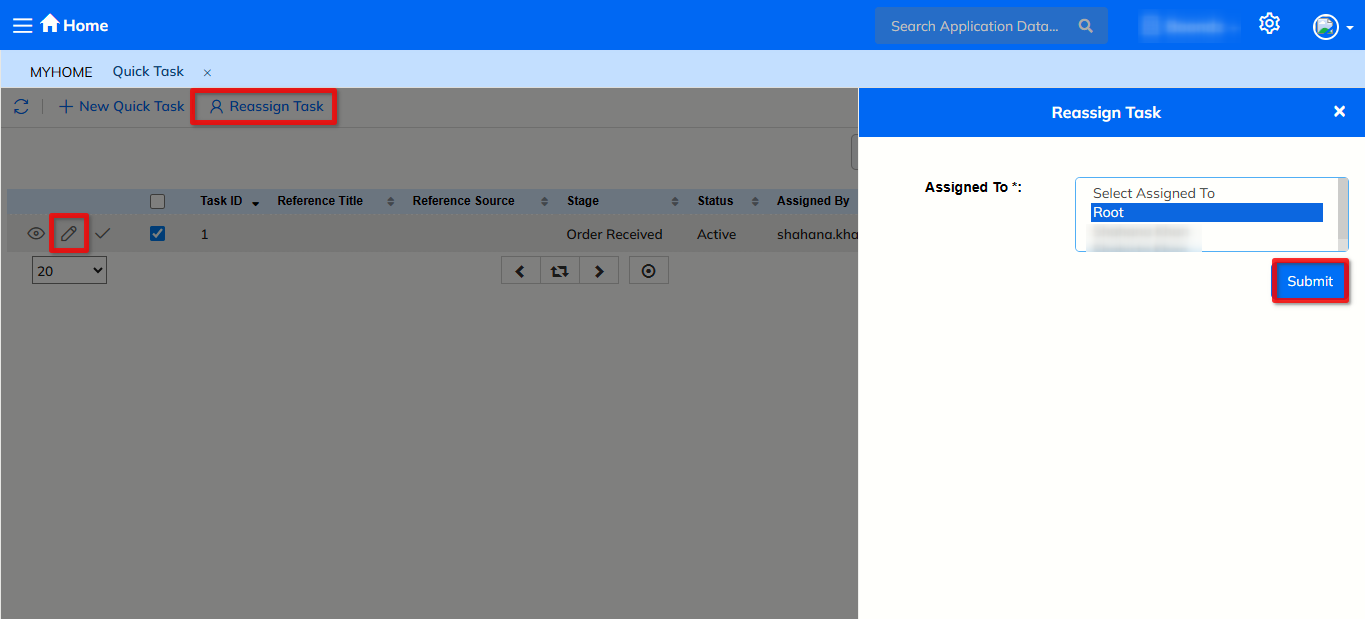
- Click on Edit to modify task details
- Click on Reassign Task to assign the task to another user
- Update required details and save.
Search, Filter & Navigation
- Use the Search box to find tasks
- Use Filter options to narrow results
- Navigate using pagination controls
- Select the number of records per page from the dropdown.