Packaging Module
The Packaging Module is used to allocate inventory for packaging based on selected product models/masters and allocation rules (such as FIFO). It ensures that only available, non-marked stock from the current warehouse or storage location is used.
This module is typically accessed after product setup in the Catalogue and Inventory modules.
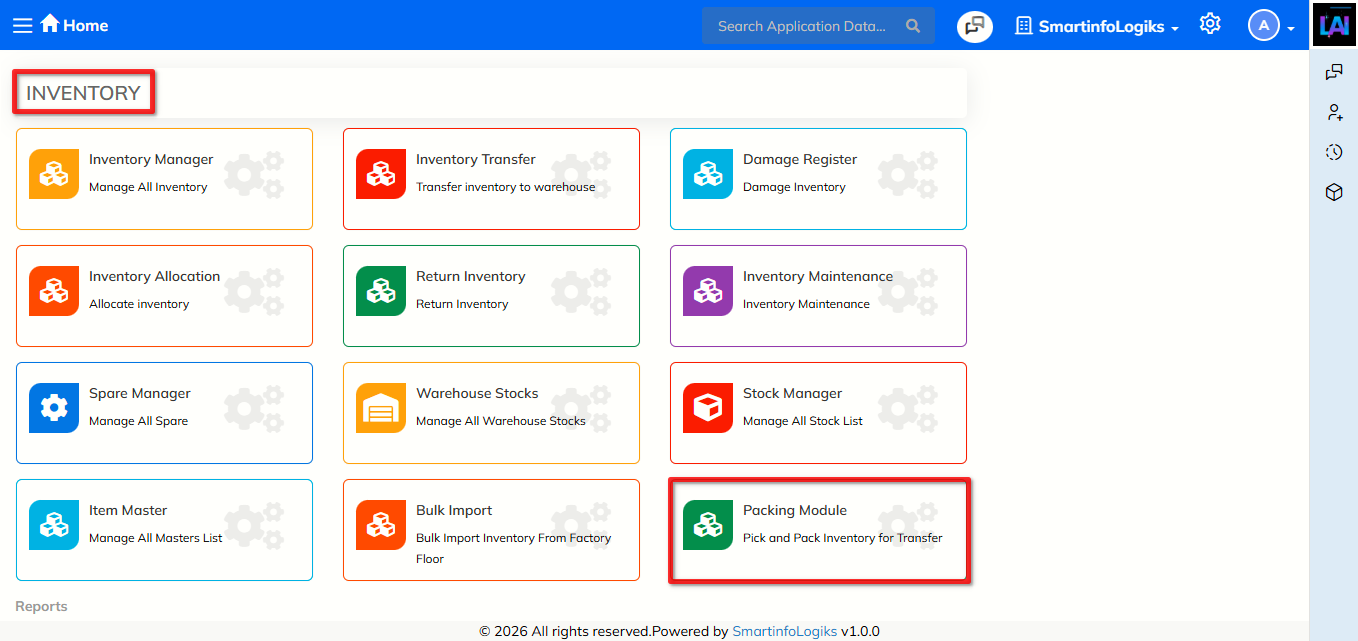
Dashboard
- Click on Inventory.
- Click on Packaging.
The Packaging dashboard will be shown as the image below:
Clear – Resets all entered values on the screen.
- Allocate Inventory – Opens the inventory allocation section.
Finalise – Confirms and finalizes the packaging transaction after allocation.
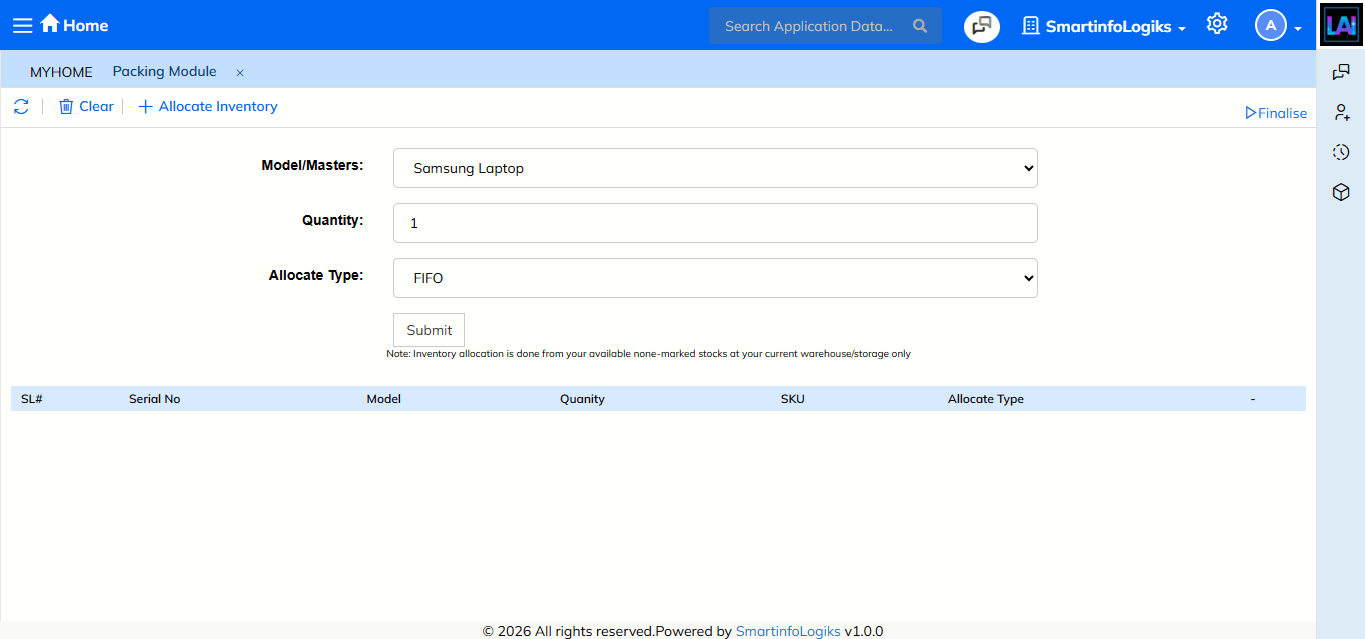
Click Submit to allocate inventory based on the selected model, quantity, and allocation type.
- Allocation is done only from available, non-marked stock at the current warehouse/storage location.
Allocation Result Grid
After clicking Submit, allocated inventory details appear in the grid below.
Grid Columns
- SL# – Serial number of the record.
- Serial No – Inventory serial number (if applicable).
- Model – Selected product model.
- Quantity – Allocated quantity.
- SKU – Stock Keeping Unit associated with the product.
Allocate Type – Allocation rule used (e.g., FIFO).
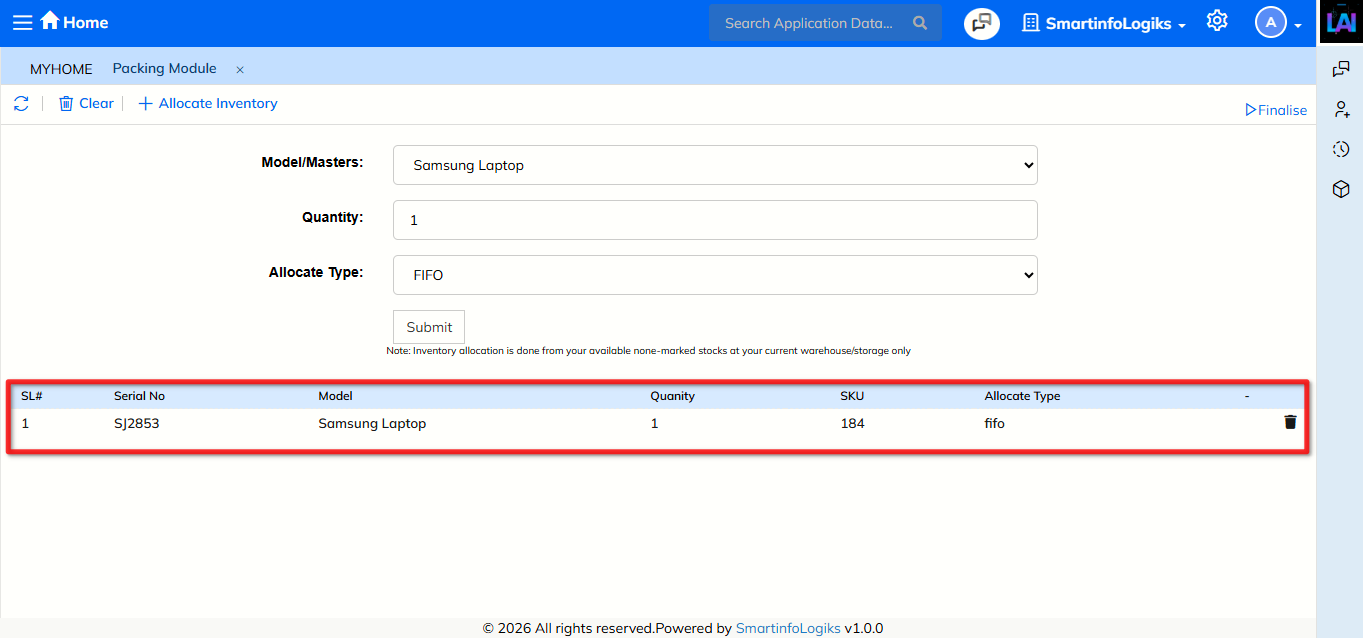
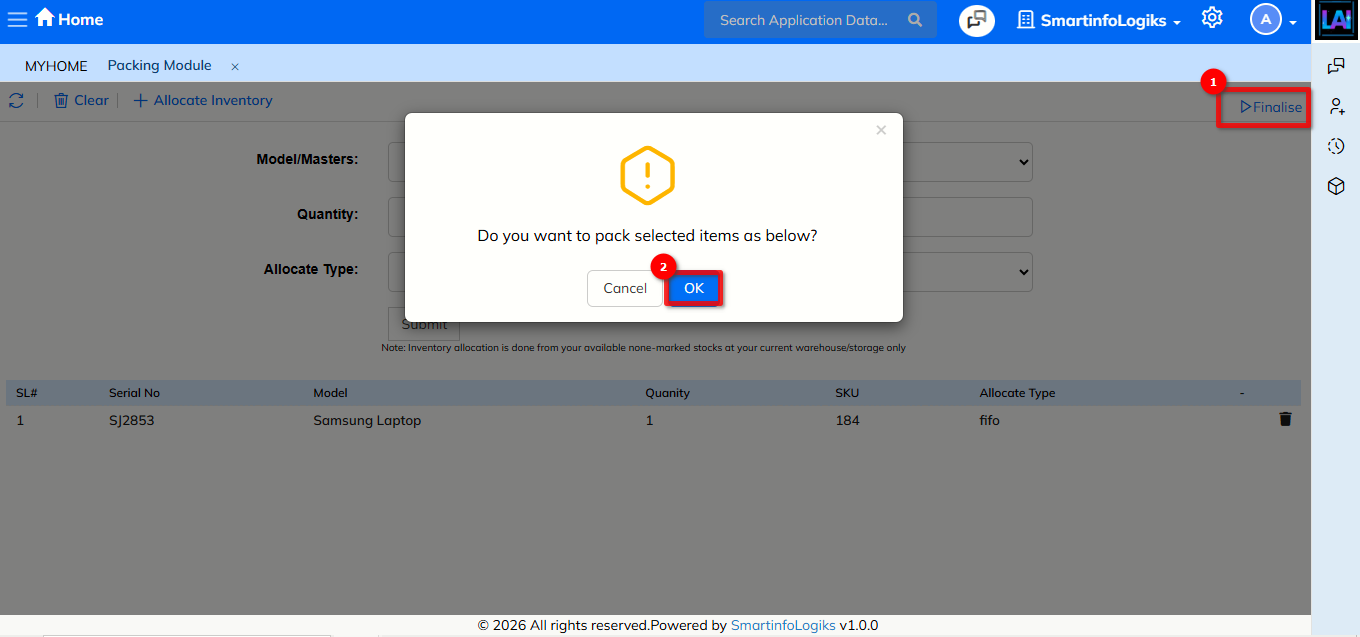
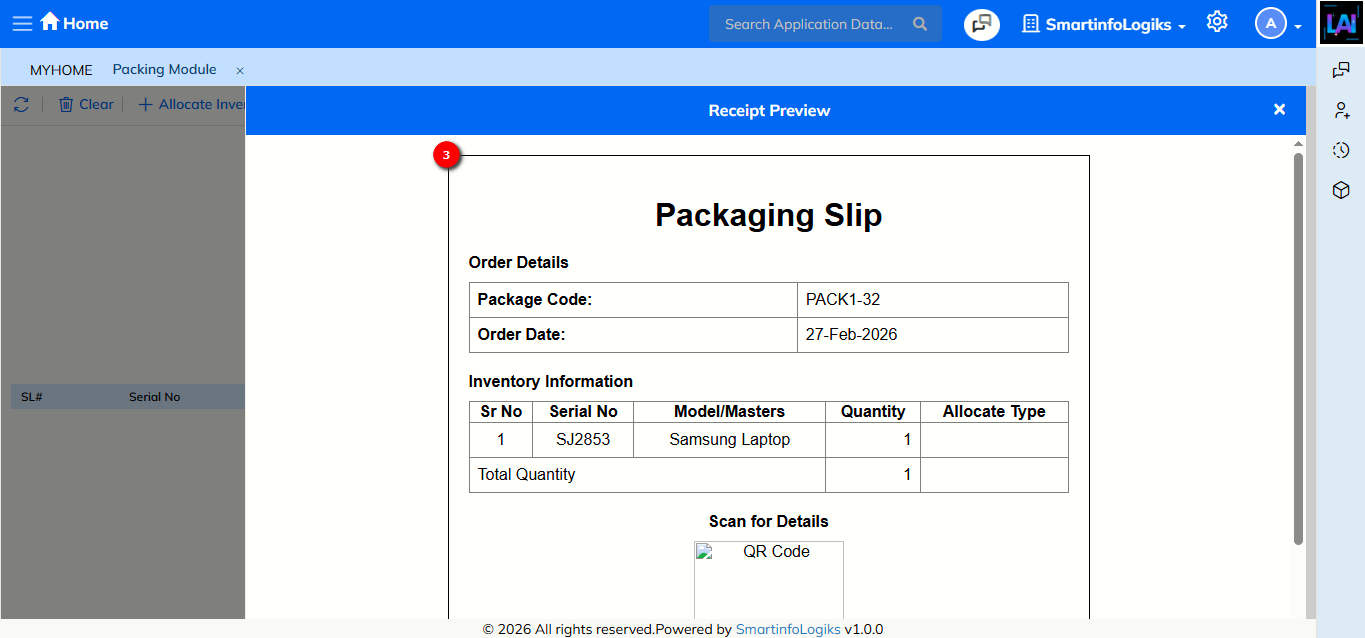
Click Finalise to complete the packaging process and generate a packaging slip.