
Login Logs
The Login Logs feature within the Audit Logs module serves as a valuable tool for tracking user login activities within the system.
Accessing Login Logs:
1. Navigate to Audit Logs Module:
Access the Audit Logs module within the system interface.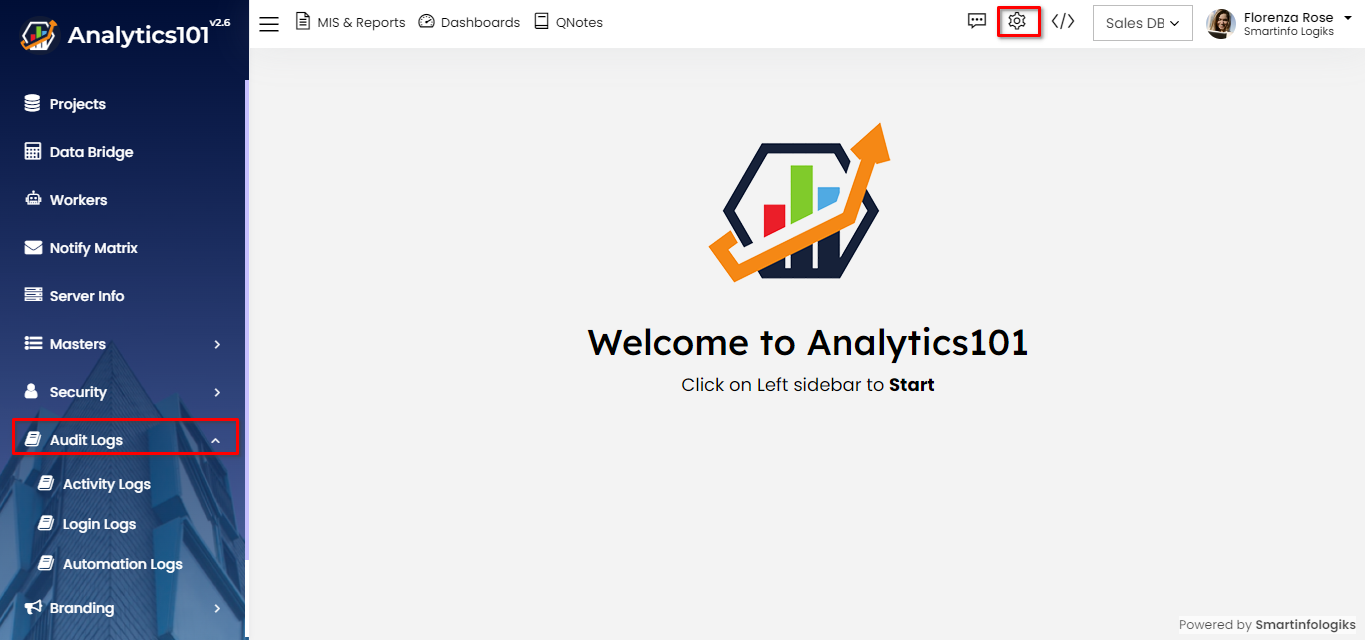
2. Select Login Logs:
Choose the option for "Login Logs" from the available logs menu.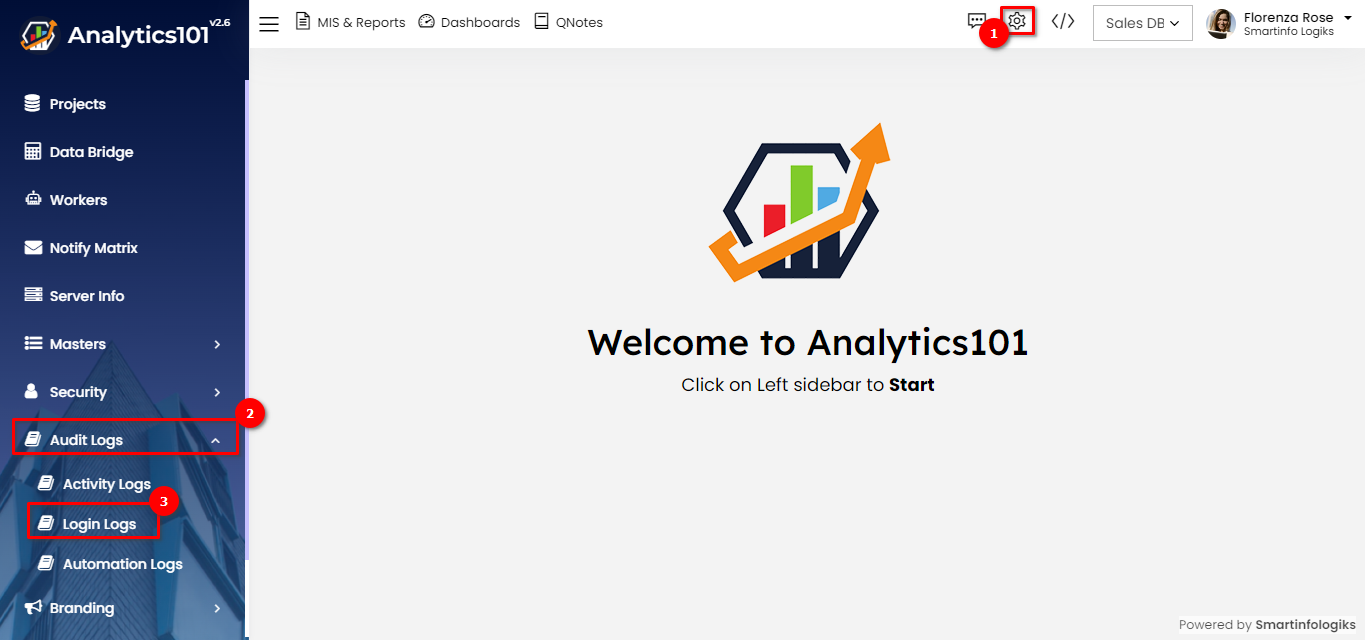
Viewing Login Details:
1. Time and Device Details:
The Login Logs display information such as the time of login and the Device from which the user logged in.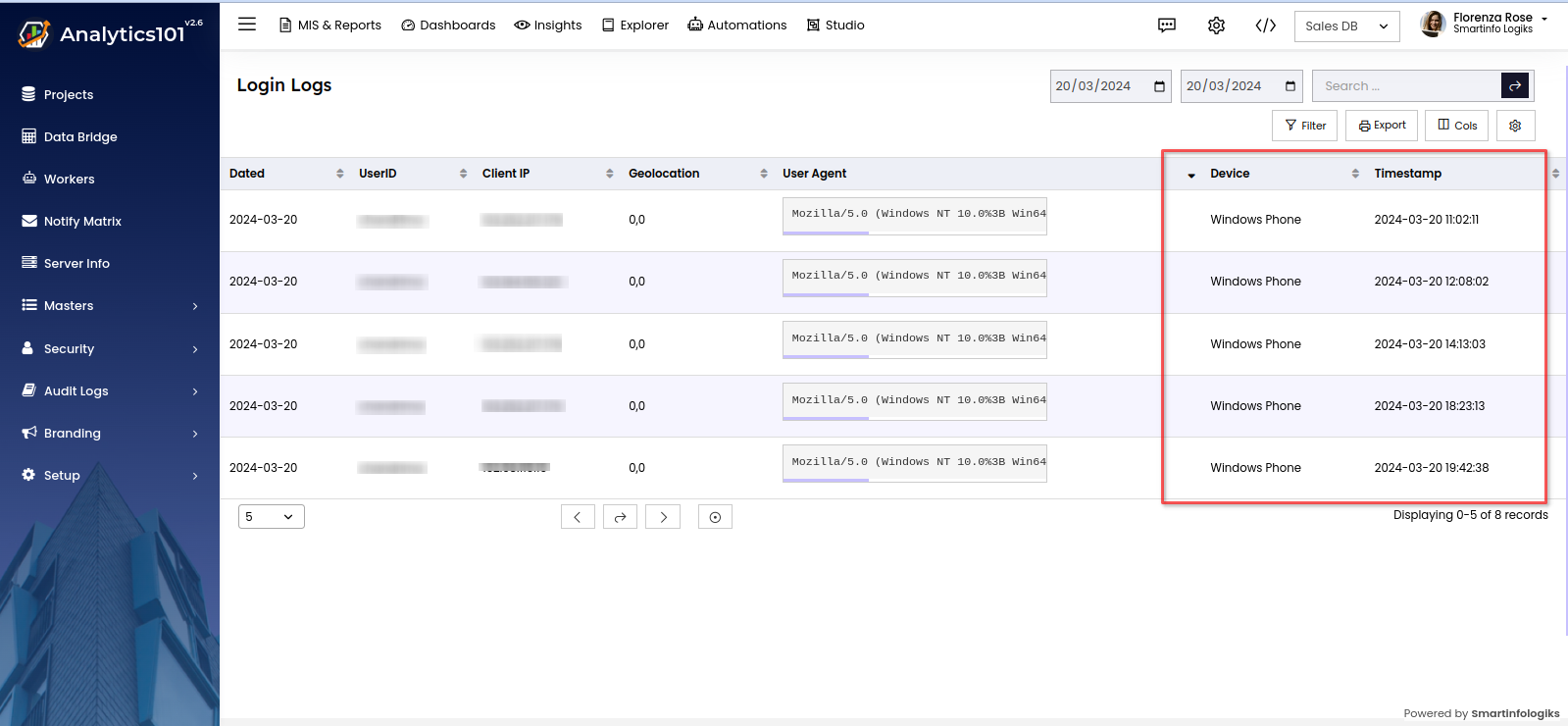
2. Automated Generation:
Similar to activity logs, Login Logs are automatically generated, ensuring accurate recording of login details.
Search by Date Range:
1. Date Range Search:
Utilize the search functionality to filter login logs based on a specific date range.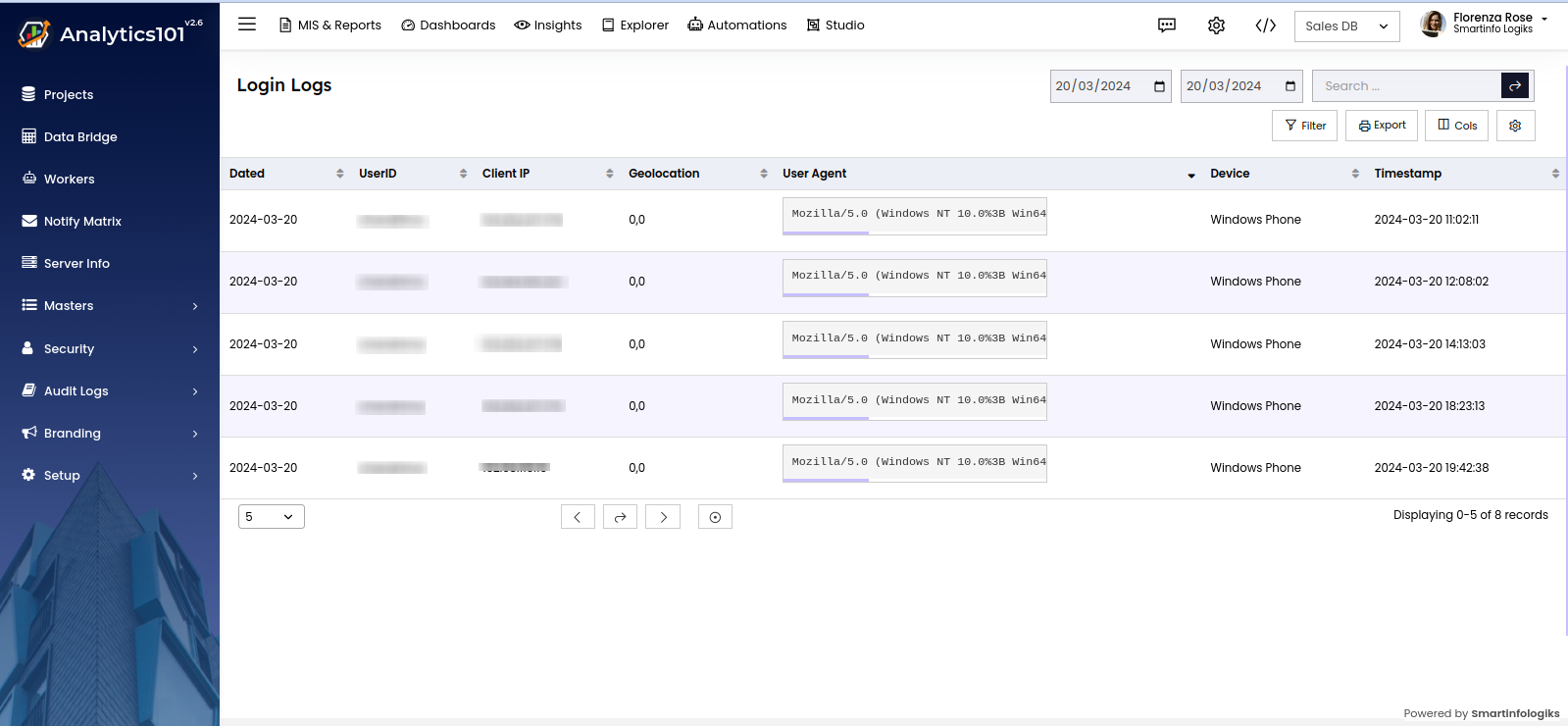
2. Enter Date Range:
Input the desired start and end dates to narrow down the search results.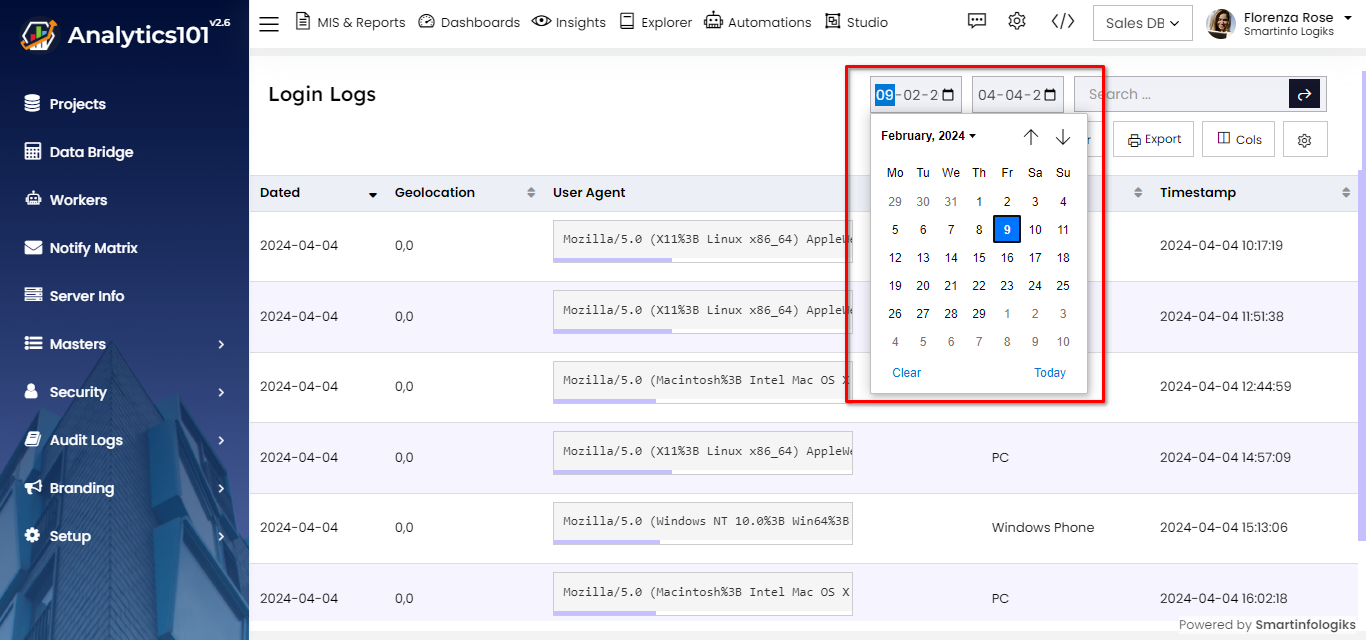
3. View Search Results:
Review the login logs within the specified date range to track user logins during that period.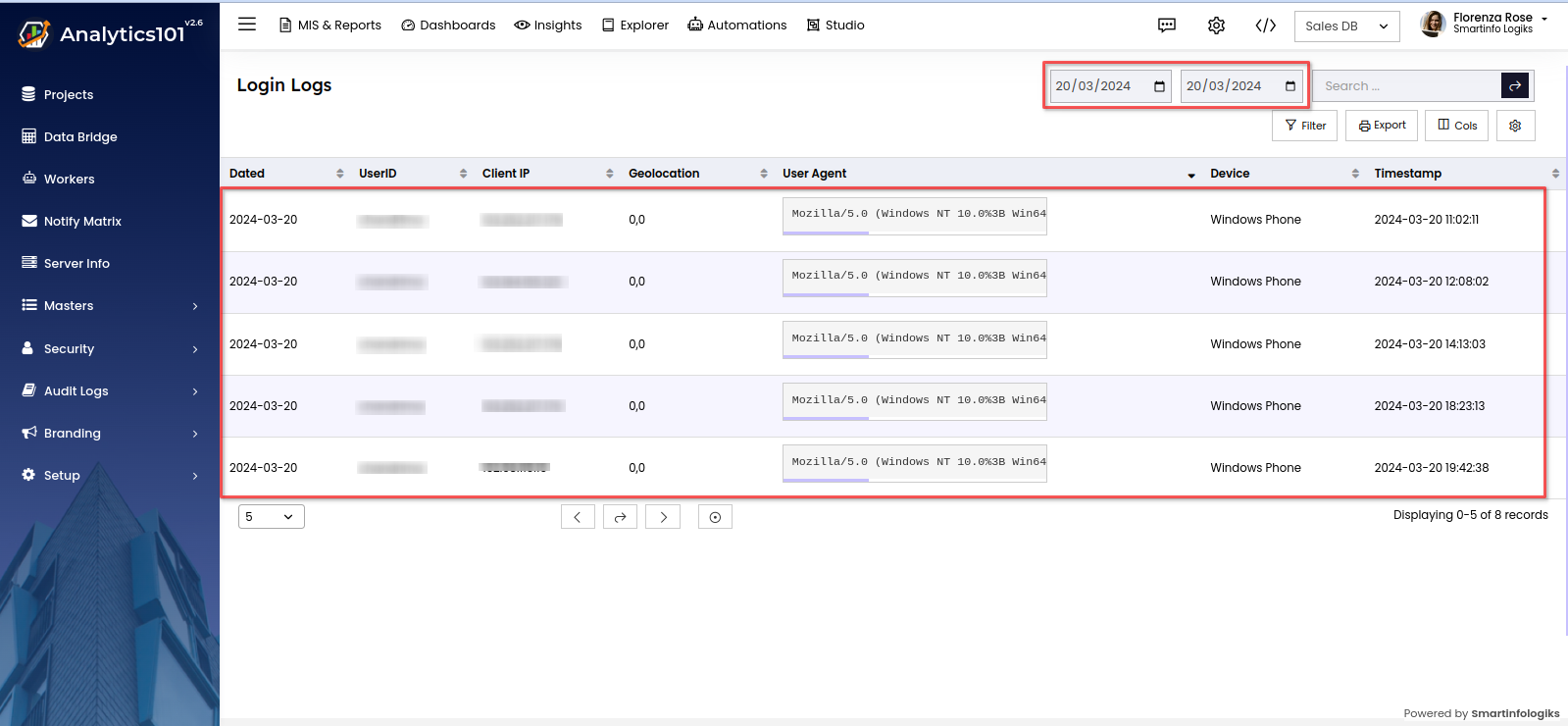
The Login Logs feature in the Audit Logs module serves as a valuable tool for tracking user login activities within the system. By accessing and utilizing this functionality as outlined in this user manual, administrators can effectively monitor user logins, ensuring security and accountability within the system environment.